No bank login.
No subscriptions.
Nothing sold.
Track spending, budgets, and net worth for free, entirely on your device. Sign in only if you want encrypted sync across all your devices.
Get started in two steps.
Download your CSV
Under Statements or Download Activity in your bank, credit union, or credit card portal.
Drop it in
Your browser reads the file locally and sends nothing anywhere unless you sync. Transactions categorize automatically, and most land correctly on the first import.
Sync across devices (optional)
Everything already works without an account. Sign in only if you want it, then set a separate sync passphrase to encrypt everything before it syncs — more in Privacy below.
What's inside.
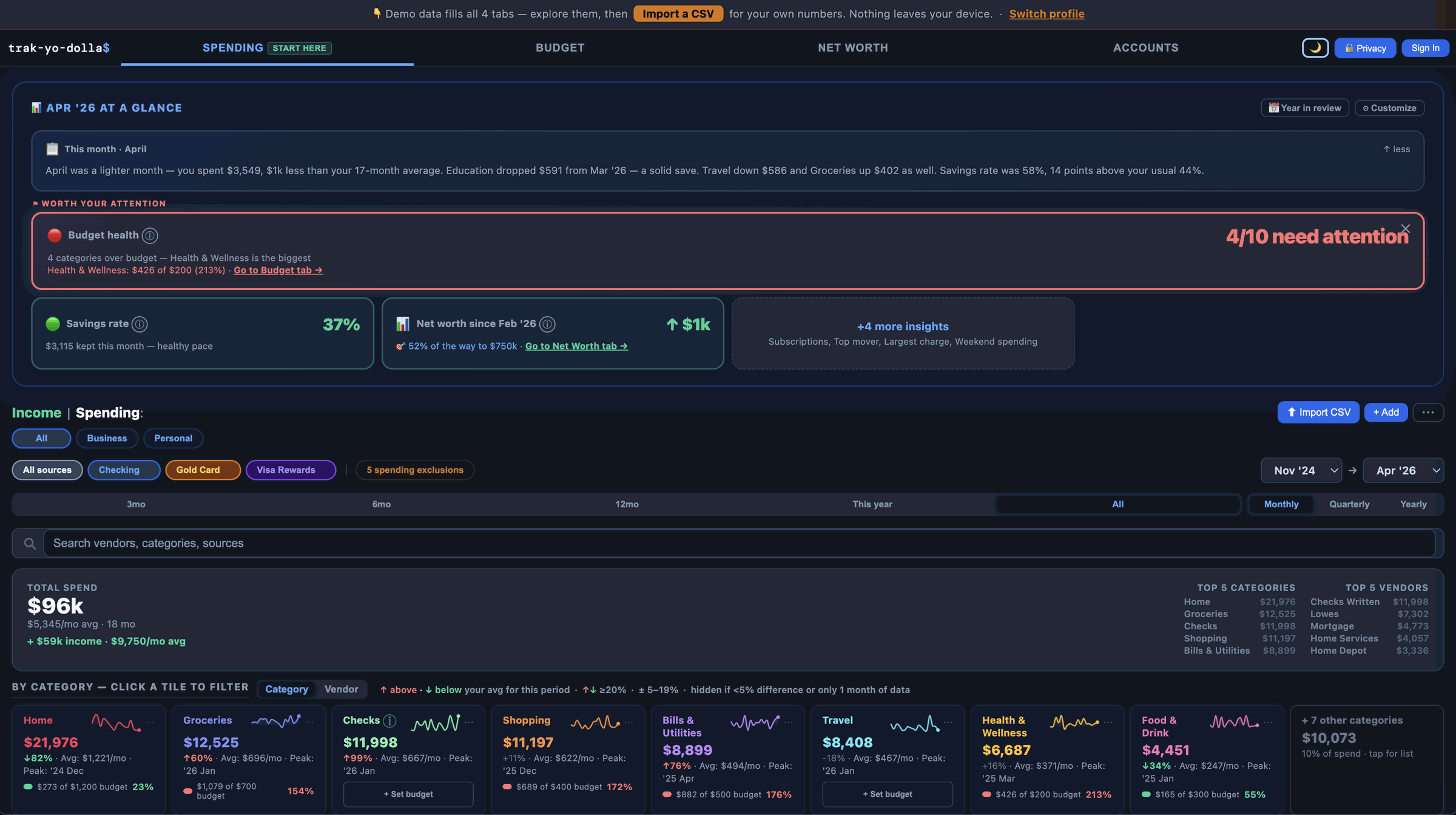
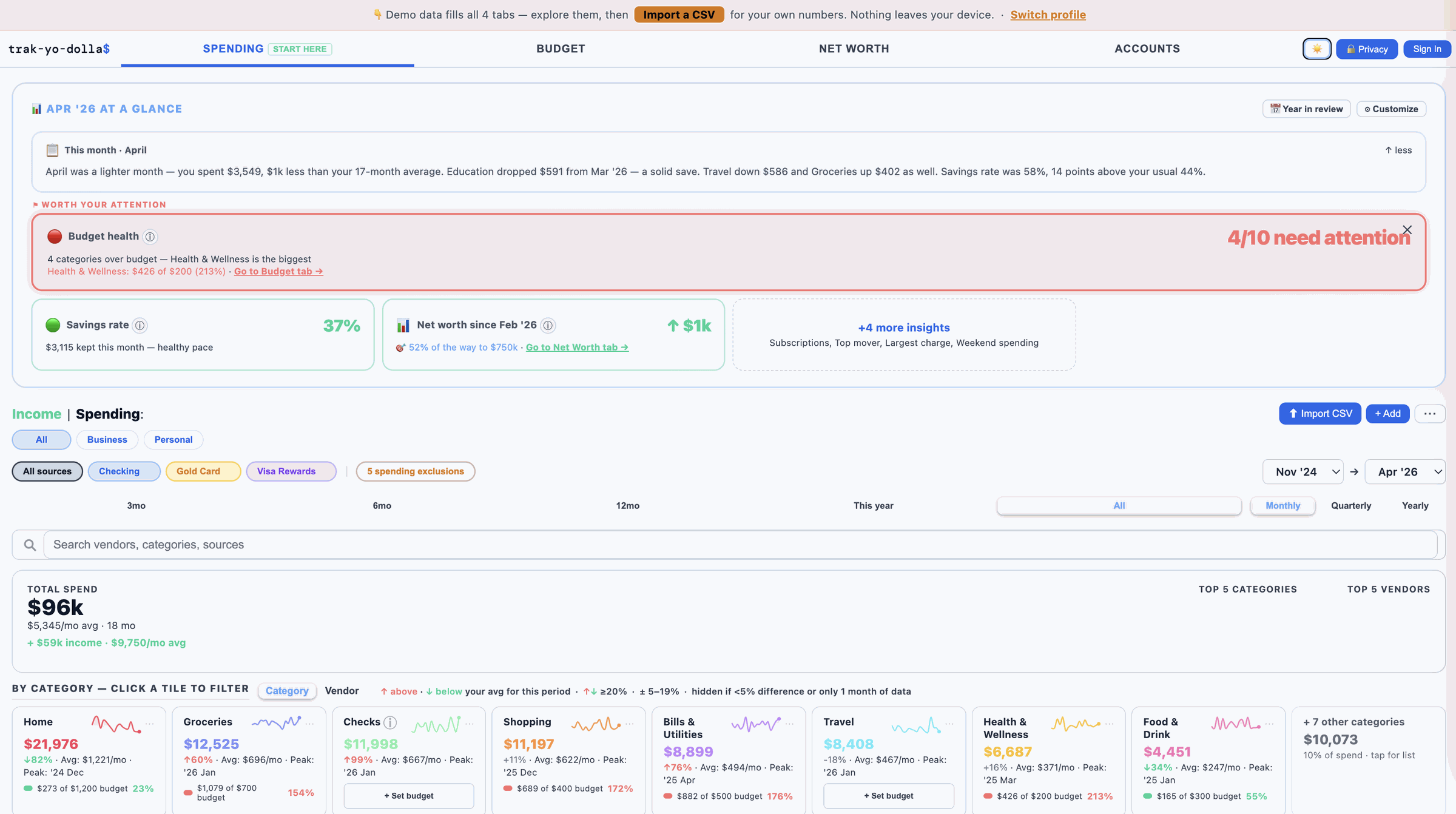
Several ways to see your spending
Click any category tile to filter transactions instantly across all views.
Your month in plain English
A short summary of what changed and why — lighter month, biggest mover, savings rate — sounds like a human wrote it, not a report.
Export your data anytime
Download transactions or budget history as a CSV, or a full JSON backup — every tab in one file: transactions, accounts, net worth snapshots, budgets, categories, and settings. Import it back anytime to restore everything.
Works offline. Installs as an app.
Install it on any device — add to your home screen on Android or iPhone, or install from the address bar in Chrome on your computer. It runs in its own window like a regular app, no tabs or toolbar in the way. Works without internet too; your data lives on your device.
Full picture net worth
Checking, savings, investments, loans, real estate, and vehicles in one place. Save monthly snapshots and watch your trajectory toward a goal.
Four-layer auto-categorization
Built for US, CA, UK, AU, NZ, and SG
The app auto-detects CSV formats from any bank or credit union, with named support for several US banks, ANZ, BNZ, and Westpac in New Zealand, ING in Australia, and Starling, HSBC, Nationwide, Santander, Barclays, Lloyds, and Halifax in the UK. Auto-categorization covers local merchants — groceries, telecoms, transport, energy, dining, and retail — in each market. Configure your currency symbol in settings: $ · C$ · £ · A$ · NZ$ · S$ · or any custom symbol.
Budgets that learn your patterns
Set monthly limits and see them alongside your 12-month average and year-to-date pace in one view. AT RISK warnings surface before you go over, Unusual sort flags categories spiking compared to your own history, and a budget that's run over for 3 months straight gets flagged so it doesn't sit there stale.
See a big decision before you make it
The Life Changes tab takes your real spending history and previews a hypothetical — rent becoming a mortgage, a car payment, childcare starting — against your real income. Nothing changes until you decide it should.
Recurring charge detection
Surfaces subscriptions and regular charges automatically — including that trial you forgot to cancel. Also flags possible duplicate charges, like a purchase that hit your card twice.
Freelancer-friendly
Track income alongside spending, tag transactions as business or personal, and filter your whole view by either — all without a separate bookkeeping app.
Where does your data actually go?
Keep your login to yourself
No bank logins, no screen scraping — nothing to share with anyone. You import a CSV — the same file your bank or credit union already gives you.
Runs entirely in your browser
Everything saves in this browser — no account, nothing uploaded. Close the tab and come back later; it's all here, and nobody else ever had a copy.
Works with your bank or credit union's CSV
Chase, Ally, Fidelity, Vanguard, NFCU, BECU, PenFed, TD, Scotiabank, BMO, CIBC, and most banks and credit unions. Look for a Download or Export button in your transaction history, then drop the file in — the app auto-detects the format.
Migrating from Mint, YNAB, or Monarch Money? Drop in your export and your categories map across automatically.
Optional sync — you hold the key
Your data stays on this device by default — no account required. Want it on your phone and your laptop too? Sign in with Google or a passwordless email link, then set a sync passphrase — separate from your sign-in — to encrypt everything before it syncs. Forget that passphrase and your synced data is gone for good; nobody can recover it, not even me.
Who built this?
One person — Nick Garofalo. I tracked my money with Python and Google Sheets for years. It worked, but I knew the analysis could go deeper — a clear picture of what spending looks like now, and what it might look like through the big changes: a move, a house, a car, a wedding, a kid. The few tools that came close all wanted my bank login. So I built this instead. Part of that idea — previewing a new mortgage, a car payment, or childcare against your real numbers — has its own tab in the app: Life Changes. It's open source — read the code yourself ↗